


2018 School Spending Survey Report

Find more great Horn Book content at these links:
Recommended books: reviews and themed booklists
App and e-book reviews
Movie reviews
Event news and recaps
Events calendar
Sago Mini Monsters app review
When I opened the Sago Mini Monsters app (Sago Sago, 2014), a blank-faced turquoise monster’s head was poking out of green goo.
 When I opened the Sago Mini Monsters app (Sago Sago, 2014), a blank-faced turquoise monster’s head was poking out of green goo. I dragged her from the muck and named her Lucy. (Just in my head. There’s no reading or writing involved in this app.)
Five different-colored circles appeared at the bottom of the screen. I used several of the options to color Lucy in, giving her purple and yellow tufts of hair. (Lucy’s pretty fashionable.) Once I was done coloring her in, I tapped the check mark in the corner, and eyes and horns appeared. (Well, first one eye appeared and promptly fell off. But then three more eyes appeared, and all was well.)
Next came the food. The first snack was a boot. It took me a moment to realize I wasn’t supposed to find Lucy's feet — does she have feet? — but then I dragged it, a banana peel, and a sushi roll into her mouth. (Hey, I didn’t plan this monster’s diet.) Then came the toothbrush. I knew what to do.
Once Lucy’s teeth were shiny white, it was time for more creative decorations. Two stickers appeared at a time, and each time I used one, another option appeared. Lucy made happy monster noises as I added new pieces — and who wouldn’t love my fabulous taste?

The monster-making possibilities are pretty numerous, within some parameters. You can draw as much or as little as you like; the app will keep you in the lines so you don’t end up decorating the surrounding space. You can also shake the device to clear it and start over during the drawing stage; officemates, that would be why I was shaking the iPad furiously at my desk.
Even if you draw eyes or a mouth, the app will still create eyes and mouths of its own, but hey, a monster can’t have too many of either. The number and color of the eyes varies, as does the shape of the horns, and you can pull either off — one at a time, or more-than-one at a time — to make different ones appear. The foods vary, too; there was even a pickle. (No idea if it was artisanal.) Throughout, there are lots of chances to see what an eager or a disappointed monster looks like, especially if you drag the food too far away. (Spoiler alert: they look pretty cute.)
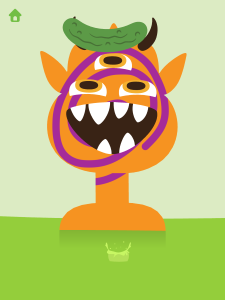
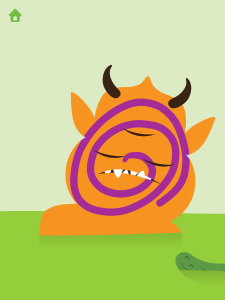
There were points when I wished it was possible to skip between steps; in this app, there’s an order one must follow in constructing a monster, and one must not add colors when it’s time to choose horns. Sometimes, you just want to add purple freckles.
The sound is unobtrusive — a little sploshing goo, a few chirpy expressions of monstrous joy, some chewing, an occasional burp. Overall, if the volume is kept at a reasonable level, this one should not drive parents crazy.
Speaking of parents, there’s a parent letter accessible by following written directions. The letter gives a few hints about how to use the app — I wouldn’t have figured out the shake-to-erase option without it. It also discusses the app’s purpose in encouraging kids’ creativity, and even suggests letting it lead to making similar creations out of paper.
Sago Mini Monsters is pretty simple, but I had way too much fun with it. I suspect many young users may feel the same way.
Available for iPhone, iPad, and iPod touch (requires iOS 5.1.1 or later); free. Recommended for preschool users.


Added To Cart
RELATED


RECOMMENDED

Please register with us to continue reading.
ALREADY A SUBSCRIBER? LOG IN
We are currently offering this content for free. Sign up now to activate your personal profile, where you can save articles for future viewing.
ALREADY A SUBSCRIBER? LOG IN
Thank you for visiting.
We’ve noticed you are using a private browser. To continue, please log in or create an account.

Add Comment :-
Be the first reader to comment.
Comment Policy:
Comment should not be empty !!!