


2018 School Spending Survey Report
What Makes a Good Picture Book App?
With the digital literary world ever-expanding and evolving, picture book apps are multiplying like Wanda Gág’s cats.
Is interactive — but not too interactive
 What distinguishes a picture book app from a traditional picture book or an e-book is the integration of interactive elements. But these should be used wisely, as too much interactivity can overwhelm or distract from the narrative. A busy adaptation of a well-known book, such as Pop-Out! The Tale of Peter Rabbit or Sandra Boynton’s The Going to Bed Book, isn’t necessarily a bad thing, as most users will already have a sense of the story. But the narrative thread of the app-only (and thus initially unfamiliar) tale A Present for Milo may snag on the plethora of opportunities for animations. It may take a child several times through to really follow the trajectory of story.
 A straightforward translation, Donald Crews’s Freight Train (see pages 47 to 50) contains relatively few interactive features, mostly sound effects and opportunities to explore the cargo. The train’s journey remains the focus; users move through the book without much delay — or opportunity — for play.
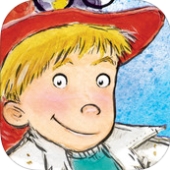 The best approach may be a balanced one, such as Bean Creative’s in When I Grow Up by Al Yankovic and Wes Hargis. Narrator Billy enthusiastically discusses his many improbable career options (e.g., “snail trainer”), with brief interactive moments throughout. More extensive games based on his potential occupations (“EXtreme Snail Race”) may be played as they’re introduced in the story, but can also be accessed from the main menu.
Creates meaningful counterpoint between all parts of the app
 Every aspect of an app — text, images, narration, music and sound effects, and interactive enhancements — should be accessible and enjoyable, not distracting. The features should also be interdependent, creating an experience greater than the sum of an app’s parts. In Nosy Crow’s Cinderella: A 3-D Fairy Tale, speech bubbles (separate from the "official" text) pop up when a character is tapped to reveal more information about his or her personality and behavior. Nosy Crow uses interactive elements as a narrative tool as crucial as text or illustration; the deepest understanding and appreciation of the story comes from interplay among all the parts.
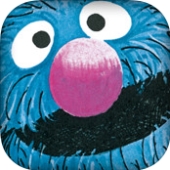 In The Monster at the End of This Book, Grover’s narration of the text is enhanced by his reverse-psychology invitations to explore — “If you touched right here, that would turn the page...so do not do that” — and his frantic animated attempts to contain the “monster” lurking at story’s conclusion. Flying dust and tool sound effects ratchet up the humor.
Makes use of the “drama of the turning of the page" — even without physical pages
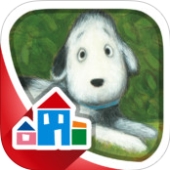 Loud Crow Interactive’s book apps photographically represent the book itself from cover to cover, maintaining all original page-turns and pacing so that animated elements seem to come to life inside the pages of an ordinary book. Many apps just as effectively display an individual page (or spread), then move to the next when the reader swipes to trigger an animated page turn. Some developers — such as Random House in Tad Hills’s How Rocket Learned to Read — additionally zoom in on one part of each illustration at a time, directing attention to moments as they’re narrated.
Puts users in charge
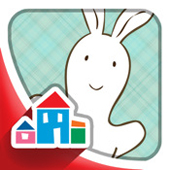 Users should be able to customize their experience of an app by turning on and off or changing narration, sound effects, or music. Users may prefer to have the story read to them while advancing the story themselves, read it on their own without the narrator, or run “autoplay” with narration and automatic page-turns. All of these options should be available. Pat the Bunny allows users to record their voices reading the story, while Don’t Let the Pigeon Run This App! lets them create and record their own stories.
 A convenient feature is the ability to return to or skip forward to a particular place in the story. Thumbnail screen shots accessible in the menu (The Monster at the End of This Book) or in an unobtrusive pull-out sidebar (as in Nosy Crow’s apps) both work well. In Pat the Bunny, meant for pre-reading users, icons in the bottom corners of each screen represent previous and following pages; a “map” of the story at the main menu provides shortcuts to every screen as the narrator gives a brief synopsis of each. Judy Sierra and Marc Brown’s Wild About Books offers a wheel to spin and select a specific page.
 Interactive elements that respond to number or duration of touches in the same place are even more fun. In a pre-bedtime bath scene in The Going to Bed Book, the longer the user holds the tub’s faucet open, the steamier the bathroom gets, eventually “fogging up” the screen and inviting users to draw in the “condensation.” Another spread responds to touch by producing stars in the night sky; each star in a sequence of touches plays a musical note in a lullaby. Subsequent taps on the same image result in different animations in A Present for Milo. Some of these animations actually progress through vignettes with multiple taps, as when an egg in a painting on the wall wobbles, then hatches when tapped.
It can be frustrating to wait until one interactive aspect finishes before initiating another, especially if you’ve already seen the first or if you unintentionally triggered it. In Cinderella, multiple interactive elements can happen at once, creating a cacophony of voices bossing Cinderella around.
 Don’t Let the Pigeon Run This App! “by Mo Willems and you” makes it clear from the title page forward that the user calls the shots. A friendly bus driver (from Don’t Let the Pigeon Drive the Bus!) introduces the parameters of the Mad Lib–like story and invites users to create their own by filling in gaps in the narrative. Three methods of generating these variables offer the user a spectrum of authorial control: in “egg” mode, users shake their device to randomize plot points; “chick” mode supplies options to tap and choose; and “big Pigeon” mode lets users record their own ideas to be replayed during the narration. The tiered levels are also helpful when sharing the app across a range of ages.
Is easy to navigate
Good apps are user-friendly and intuitive. They don’t assume or require familiarity with app use, especially when aimed at the youngest users, but they don’t condescend by over-explaining themselves, either. Some apps provide written directions (often found in the menu) or offer verbal help along with the narration. Pat the Bunny’s narrator responds to a tap with “Can you do that again?” and to a long pause during a hide-and-seek scene with “Is Bunny behind the couch?” Others, like Cinderella (which uses pulsing dots to indicate where to touch), communicate visually with arrows, tabs, or buttons to indicate where to touch and to suggest which interactive features to use when. Some apps use both verbal and visual cues: as he holds ropes across the pages of The Monster at the End of This Book, Grover hints, “I do not know what would happen if you were to touch these knots and untie them...Or tickle me on my furry little tummy...” — prompting users to do just that and progress the plot. Meanwhile, subtle lights indicate exactly where to tap the screen. Thoughtfully designed apps promote digital literacy by teaching kids how to use apps even while they use them.
Apps that include easy-to-find credits help out adults: the easier it is to locate information about the writer, illustrator, developer, or narrator of a child’s well-loved app, the simpler it is to track down digital read-alikes.
Provides a surprising and joyful experience
 Effective apps balance interactive moments that propel the story forward with others that are just pure fun — but feel natural to the story’s setting and characters. As Milo and a mouse friend play chase in A Present for Milo, other mice zoom around in toy vehicles (including a flying saucer) and appear in animated framed pictures on the walls. Touching blackberries or drifting leaves in the illustrations of Pop-Out! The Tale of Peter Rabbit fills the screen with their realistic photographic counterparts; tilting the device causes the items to tumble around the page. Nosy Crow puts a charming and kid-friendly spin on narration: their apps are voiced by a full cast of child actors (all credited on the info pages).
 Great apps also employ innovative technologies as they’re meaningful to the narrative. Nosy Crow’s Three Little Pigs: A 3-D Fairy Tale invites users to help the Big Bad Wolf blow houses down by huffing and puffing into the iPad’s microphone. The two-dimensional illustrations of the picture book Wild About Books are redesigned in the app as vertical layers much like theater scenery; tilting the device shifts the perspective and allows a peek “behind the scenes.”
Withstands repeated use
Some apps cycle through a set of animations or interactive features on each subsequent use, so that (for a limited number of go-arounds, anyway) these are different each time. The structure of Don’t Let the Pigeon Run This App! actively encourages repeat use by creating a vast number of different stories; it also allows users to save a story to revisit later.
Above all, adds to or extends the original book
A successful picture book app fulfills the requirements of a traditional picture book, but with an extra oomph unique to the digital format. Adaptations of print books present faithful representations with all interactive elements enhancing — not undermining — the original narratives.
While I doubt any app meets all of these expectations yet, the digital format allows developers to immediately receive and assimilate feedback from consumers and reviewers alike. Individual apps are improved and expanded even faster than new ones appear. The world of book-based apps for kids may feel wide and fast-paced now, but in a year or even a month’s time, the landscape will be radically different. As ever more (and ever more sophisticated) apps are developed, it will be fascinating to see the directions this new storytelling medium will take. But the most successful picture book apps will remain the ones that keep story front and center.
Recommended Picture Book Apps
A Present for Milo (Ruckus Mobile Media) by Mike Austin review
The Going to Bed Book (Boynton Moo Media/Loud Crow Interactive) by Sandra Boynton review
Freight Train (Curious Puppy) by Donald Crews review
How Rocket Learned to Read (Random) by Tad Hills
Pat the Bunny (Random/Smashing Ideas, Inc.) by Dorothy Kunhardt
Pop-Out! The Tale of Peter Rabbit (Loud Crow Interactive) by Beatrix Potter
Wild About Books (Random/Smashing Ideas, Inc.) by Judy Sierra; illus. by Marc Brown review
The Monster at the End of This Book (Callaway Digital Arts/Sesame Workshop) by Jon Stone; illus. by Michael Smollin
Don’t Let the Pigeon Run This App! (Hyperion/Small Planet Digital) by Mo Willems review
When I Grow Up (Bean Creative) by Al Yankovic; illus. by Wes Hargis review
Cinderella: A 3-D Fairy Tale (Nosy Crow) review
The Three Little Pigs: A 3-D Fairy Tale (Nosy Crow) review
From the March/April 2012 issue of The Horn Book Magazine.


Added To Cart
RECOMMENDED
Please register with us to continue reading.
ALREADY A SUBSCRIBER? LOG IN
We are currently offering this content for free. Sign up now to activate your personal profile, where you can save articles for future viewing.
ALREADY A SUBSCRIBER? LOG IN
Thank you for visiting.
We’ve noticed you are using a private browser. To continue, please log in or create an account.

Add Comment :-
Comment Policy:
Comment should not be empty !!!
Picture Book Apps – Pen & Story
[…] hear different feedback from our amazing and diverse faculty. Fellow member Lois Brandt sent this link to an interesting article about what makes a good picture book app. Worth a read, especially […]Posted : Apr 10, 2019 09:14
Christina Hyeon-Kyeong Kim
Hello. I am Christina Hyeon-Kyeong KIM and I'm a Ph.D. candidate of children's Literature and media Education. I read your article, "What makes a good picture book app" and it was very helpful for my research. I'd like to ask you some questions. Could you let me know your e-mail address? (My e-mail address is christina.kim1111@gmail.com) Best Regards, Christina KIMPosted : Aug 18, 2015 04:17
Tips to Make a Great Picture Book App | Authorly Blog
[…] Bircher’s article, “What Makes A Good Picture Book App?” explores the different facets of a successful […]Posted : May 12, 2014 05:50
New apps and e-books - The Horn Book
[…] We’ve updated our recommended e-books and apps list. All of the recommended titles were developed within the last several years, and were either Horn Book App Review of the Week selections or included in “What Makes a Good Picture Book App?” […]Posted : Dec 16, 2013 05:55
What Makes a Good Picture Book App? – The Horn Book | CDB
[...] What Makes a Good Picture Book App? – The Horn Book. Share this:TwitterFacebookPinterestLike this:Like Loading... [...]Posted : Nov 24, 2013 09:15